Jazz Desk Studio
Jazz Desk Studio★ NEWBring a keyboard we don't have yet and play free for life

For keyboard players who'd rather play than read the manual

Find the sound.
Play the song.

Jazz Desk turns your keyboard into something you can actually find your way around. Search every sound by feel, set up your banks and SD card without the tiny buttons, and record ideas in a 4-track Studio that sends straight to Ableton.

Try the demoNo sign-up · opens in your browser

or browse the sound book demo · hear music made with it

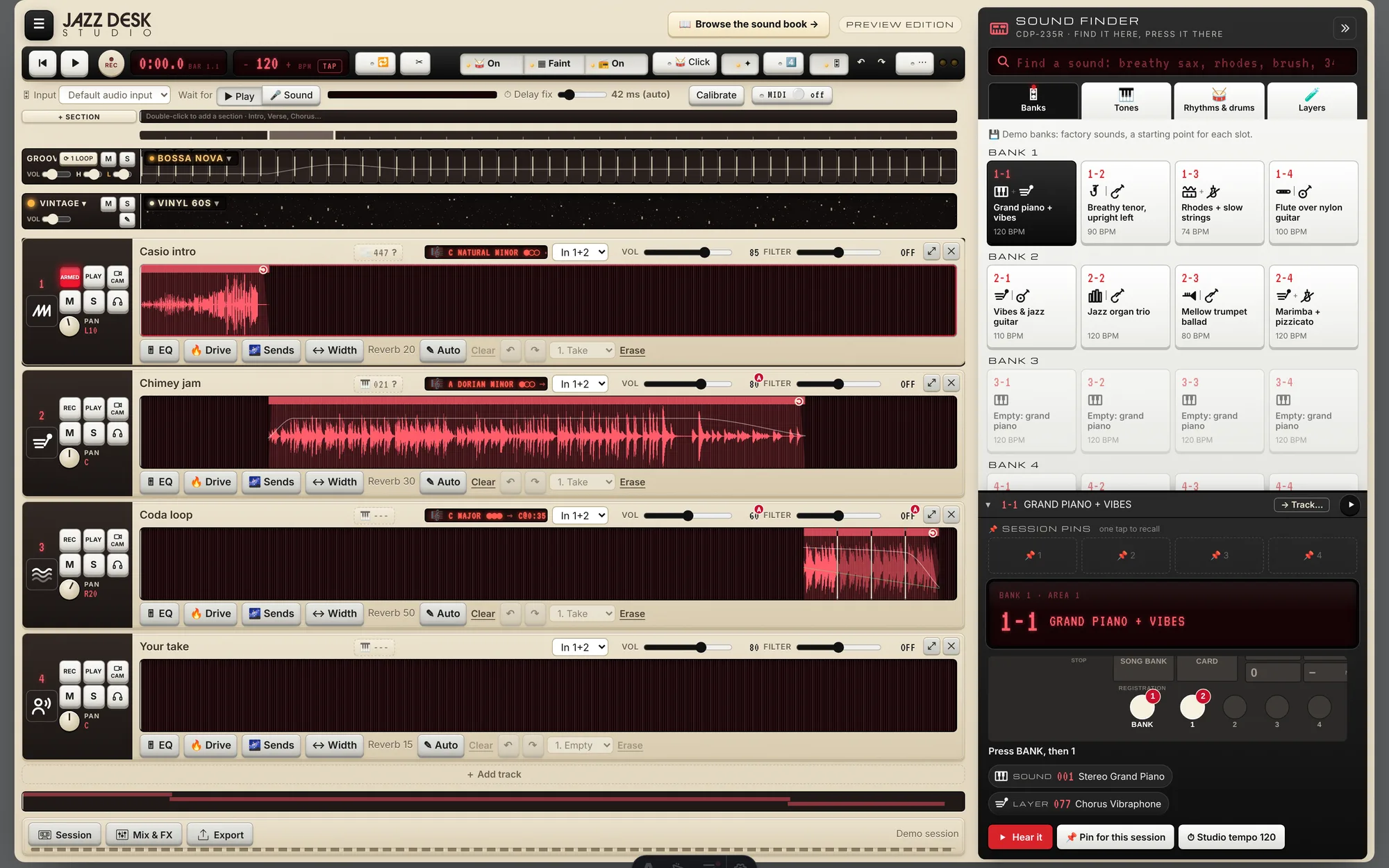
Jazz Desk Studio: four tracks with waveforms, a bossa nova groove lane, and the Sound Finder showing bank 1-1 Grand piano + vibes
The Studio, with the Sound Finder docked on the right. This is the real app, running the demo session.

Keyboard Founders

Bring your keyboard.
Play free for life.

Jazz Desk grows one keyboard at a time, and nobody knows a keyboard like the person who plays it every day. Be the first to bring a keyboard we don't have yet, help us build it, and your account is free forever. Every Pro feature, for life.

Add your keyboardTakes two minutes · no account needed
  1. 1Tell us your keyboardBrand and model. If it isn't on Jazz Desk yet, it can be yours.
  2. 2Send what you havePhotos or a PDF of the manual, the tone list, a few recordings of the sounds.
  3. 3Build it with usWe turn it into a Sound Book. You test it, check the sounds and tell us what's off.
  4. ★It goes liveYour keyboard joins Jazz Desk with your name on it, and you're free for life.

What founders get

  • ♾️Every Pro feature, foreverCloud sync, stems, mastering, Gig Mode, more keyboards in your rig. Never a bill.
  • 🏷️Your name on your keyboard“Brought to Jazz Desk by …” on its Sound Book, seen by every player who owns one.
  • ⭐The Founder badgeOn your profile and everything you share.
  • 🎛️First say on your keyboardHow its sounds are grouped, named and searched. You know it best.

The contributor ladder

  1. Bring a new keyboardFree for life
  2. Check a keyboard's soundsEarn Pro months
  3. Play and recordFree
ADD YOUR KEYBOARD
What can you send us?

One lifetime membership per new keyboard model: the first player who brings it and helps until it goes live. Already taken? You can still help check its sounds and earn Pro months.

🕯️ SOUND FAMILIAR?

That keyboard in the closet still sounds beautiful.

It has hundreds of great sounds. You just can't see them: a two-inch screen, a hundred tiny buttons, a manual you lost in 2009. Plug it into Ableton and you're scrolling “Program 047” for an hour. JazzDesk gives the keyboard you already own a big, friendly screen.
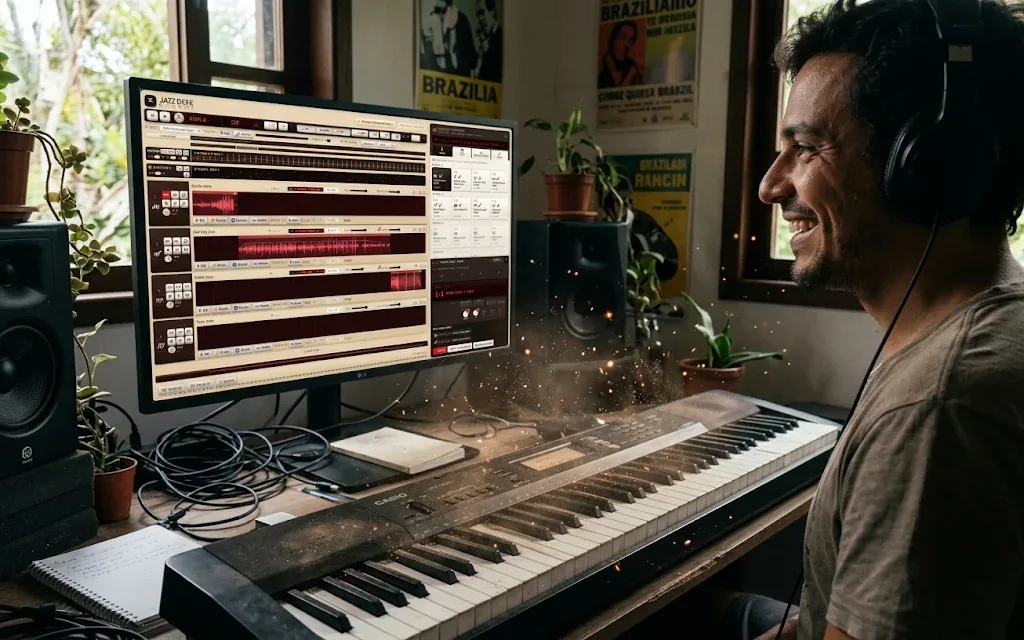
A smiling keyboard player in headphones brushes the dust off an old keyboard, plugged into a big monitor showing Jazz Desk Studio
PLAYDust off the keyboard you already own. Plug it into a big screen. Play.
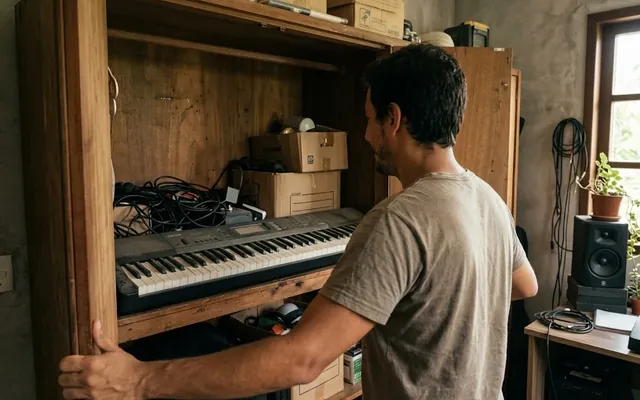
  1. Opening a wooden closet and finding the old keyboard among boxes and cables

    1Open the closetIt's still there. Fifteen years, a hundred sounds you never found.

  2. 2Pull the dust offEverything you saved on it is still in there. So are the sounds.

  3. 3Let the light inSame keyboard. Same keys under your fingers. Nothing new to buy.

  4. 4Plug into a big screenOne USB cable to the monitor or TV you already have. Every sound by name, search by feel.

The usual answer$4,000a new touchscreen workstation, just to get a screen
The JazzDesk answer$0the keyboard you own + the screen you own + JazzDesk, free to start
💾 SAVING A SOUND

Stop spelling with ▲ and ▼.

On the keyboard, naming a save means scrolling through the alphabet one letter at a time, on a screen the size of a stamp. On JazzDesk you just type it, and it's backed up before you look up.

The tiny screen

0 button presses · 0 s

  • ❌ One letter at a time, up and down the alphabet
  • ❌ 8 to 12 characters, no spaces worth using
  • ❌ One slip and you saved over last week's setup
  • ❌ No backup. The card fails, it's gone
The big screen
NameBossa sax, Getz feel
✓ Saved to Bank 2-3 · ☁ Backed up · ↺ Undo

1 keystroke to save · 3 s

  • ✅ Type real names, with notes if you like
  • ✅ See all 32 setups before you overwrite one
  • ✅ Every save is backed up in the cloud
  • ✅ Your sounds on your phone too

Three tools, one desk

🎚️ STUDIO

A 4-track sketchpad that knows your keyboard

Catch the idea while it's warm. Arm a track, play, and Jazz Desk starts recording on your first note. Then shape it without leaving the browser.

  • Record audio or MIDI straight from the keyboard over USB, with a live waveform
  • Grooves that sit back: bossa nova, brushes, swing, with a click you can feel
  • Key and scale detection on every take, so you know what you just played
  • Loops, splits, automation and pitch that keeps the speed
  • Mix and FX: reverb, space, filters, vinyl warmth
  • Send to Ableton as a stems zip, or bounce a WAV or MP3
Open the Studio demo →
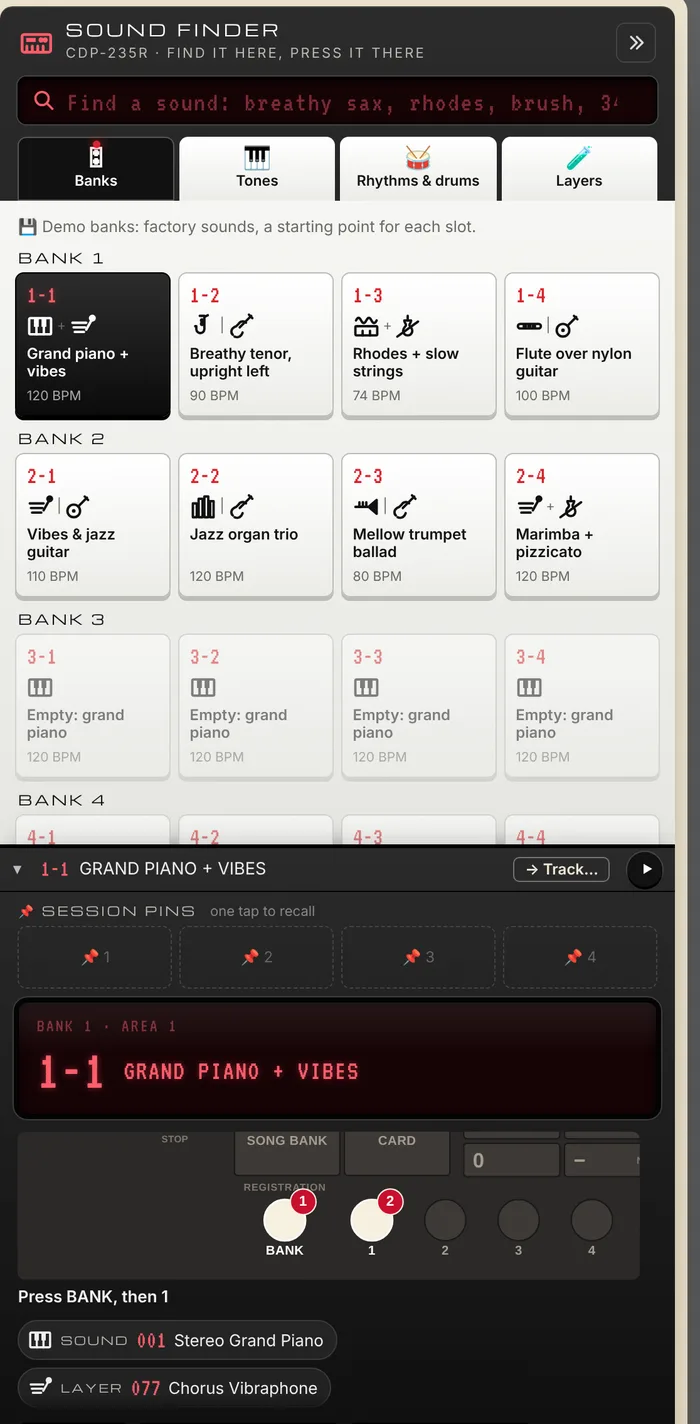
The Sound Finder inside the Studio: demo banks, the bank 1-1 display and the panel buttons to press
The Sound Finder rides along: pick a sound, see which buttons to press, pin it to the session.

📖 SOUND BOOK

The manual, rewritten as a guide you'll actually open

No Studio needed. Sound Book is a full-page guide to your keyboard: every tone, rhythm and preset, your favourites and notes, and real control over your banks, layers and SD card. Type “breathy sax” or “brush” and it shows the sound, plays it, and lights up the exact buttons to press.

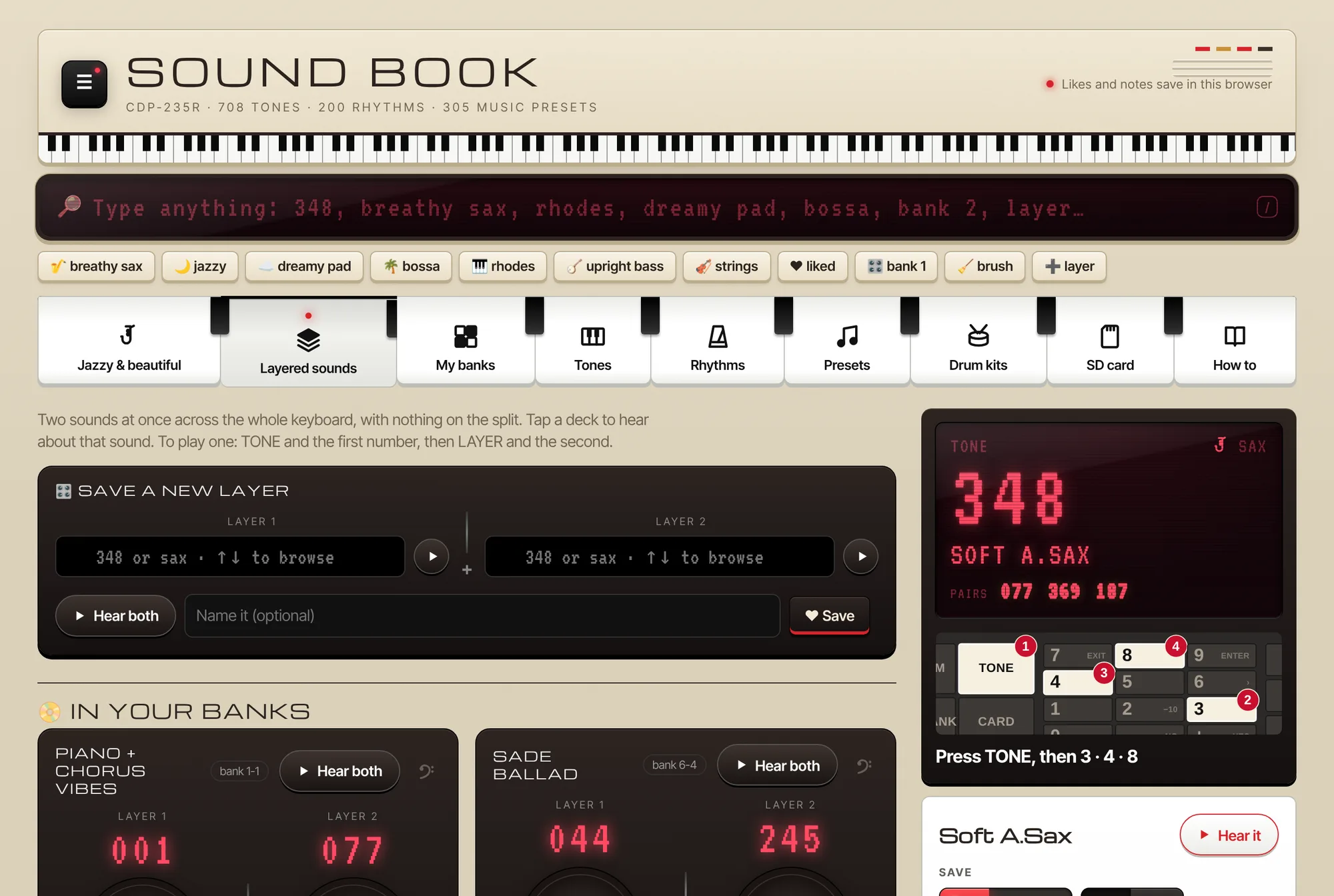
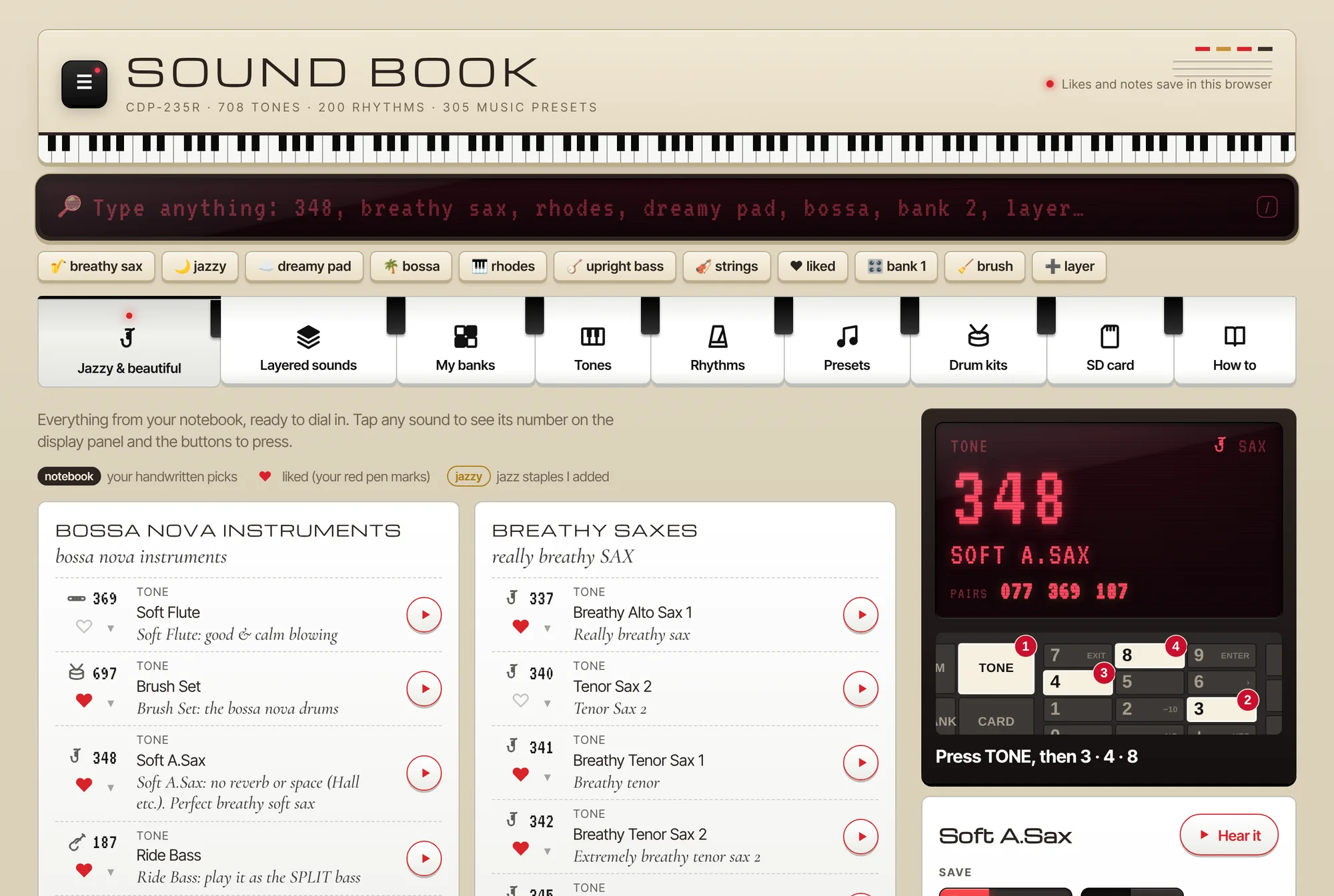
Sound Book, Jazzy & beautiful page
Your favourite sounds, grouped the way you think about them, each with the exact buttons to press.
  • 🔎Search by feel“dreamy pad”, “upright bass”, “348”: one box finds it all.
  • 🔴Button pathsA picture of the panel shows what to press, in order.
  • ❤️Favourites and notesHeart a sound, add a one-line note, find it again in a second.
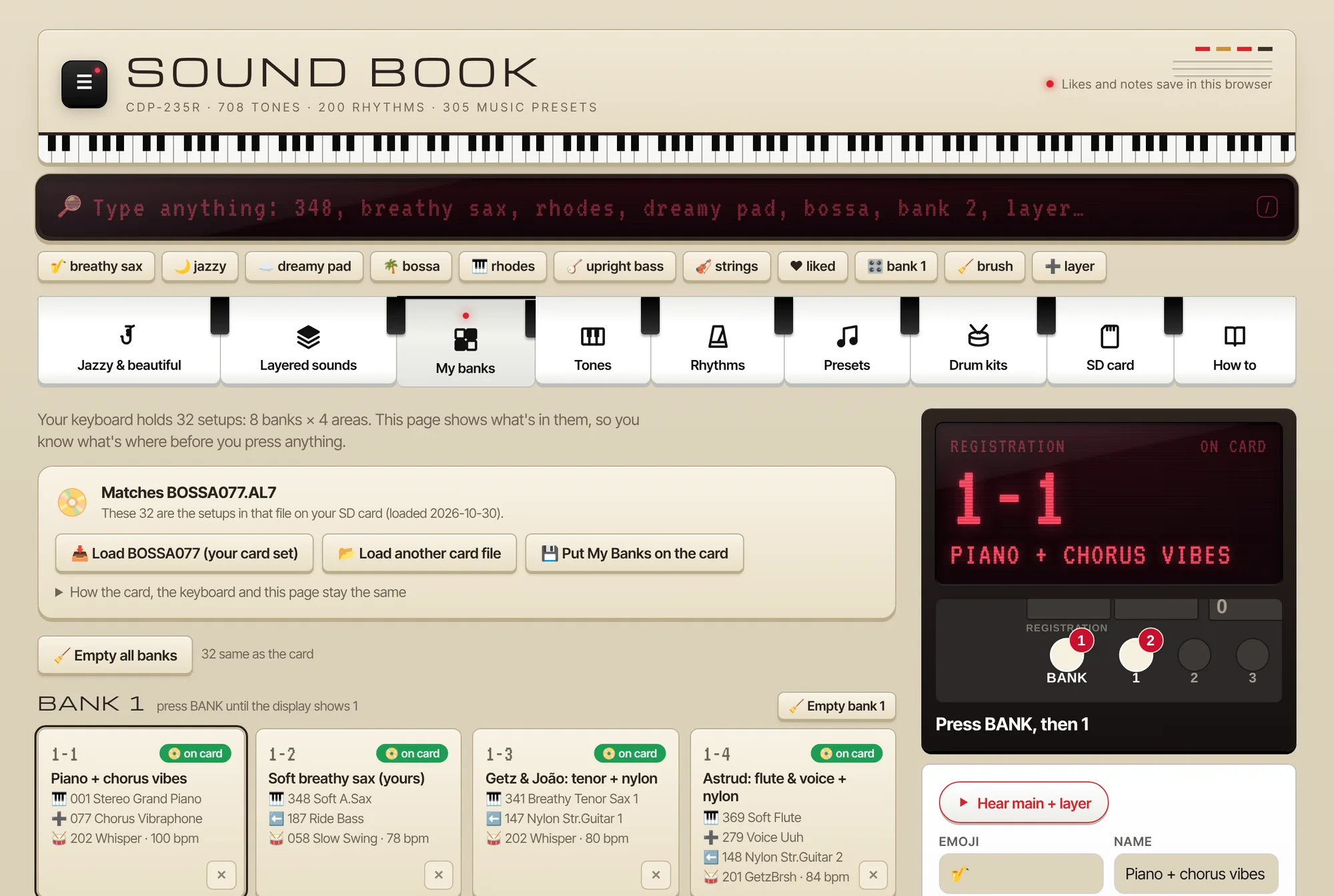
  • 🎛️Bank plannerPlan all 32 setups: sound, layer, split, rhythm, tempo.
  • 🧪LayersBuild two-sound combos and hear them before you dial them in.
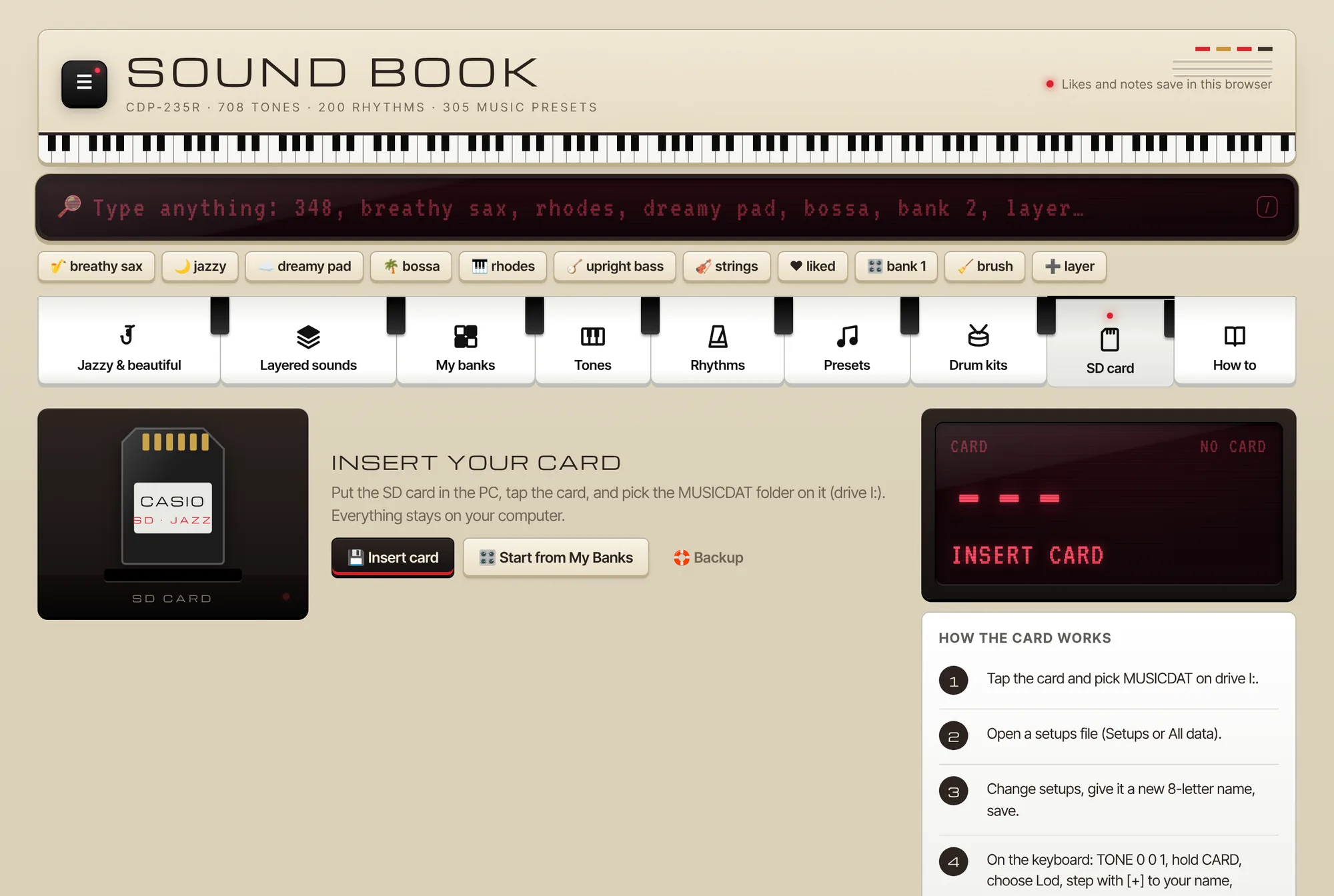
  • 💾SD cardRead and write your keyboard's card files, with safe copies built in.

Browse the sound book demo →

📱 SOUND BOOK POCKET

Your banks on the music stand

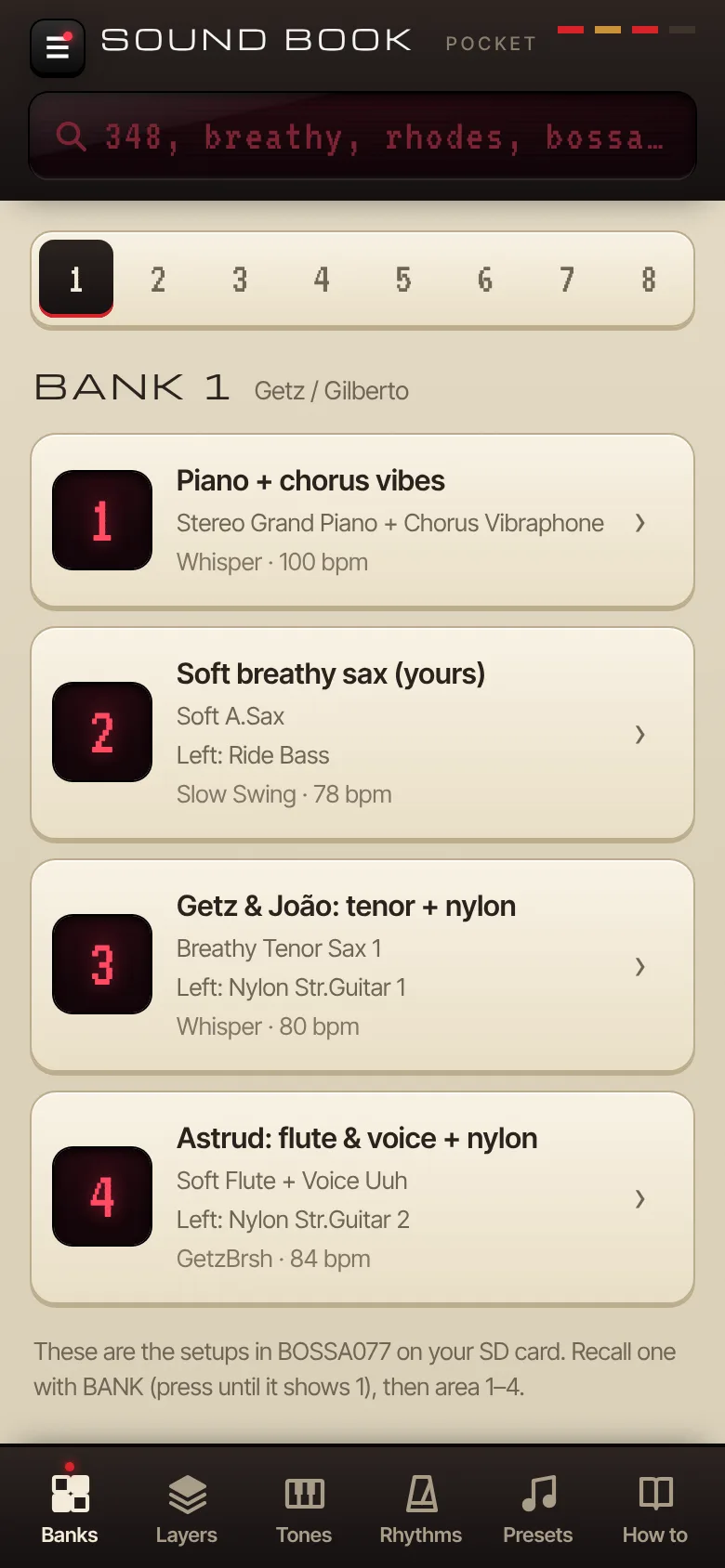
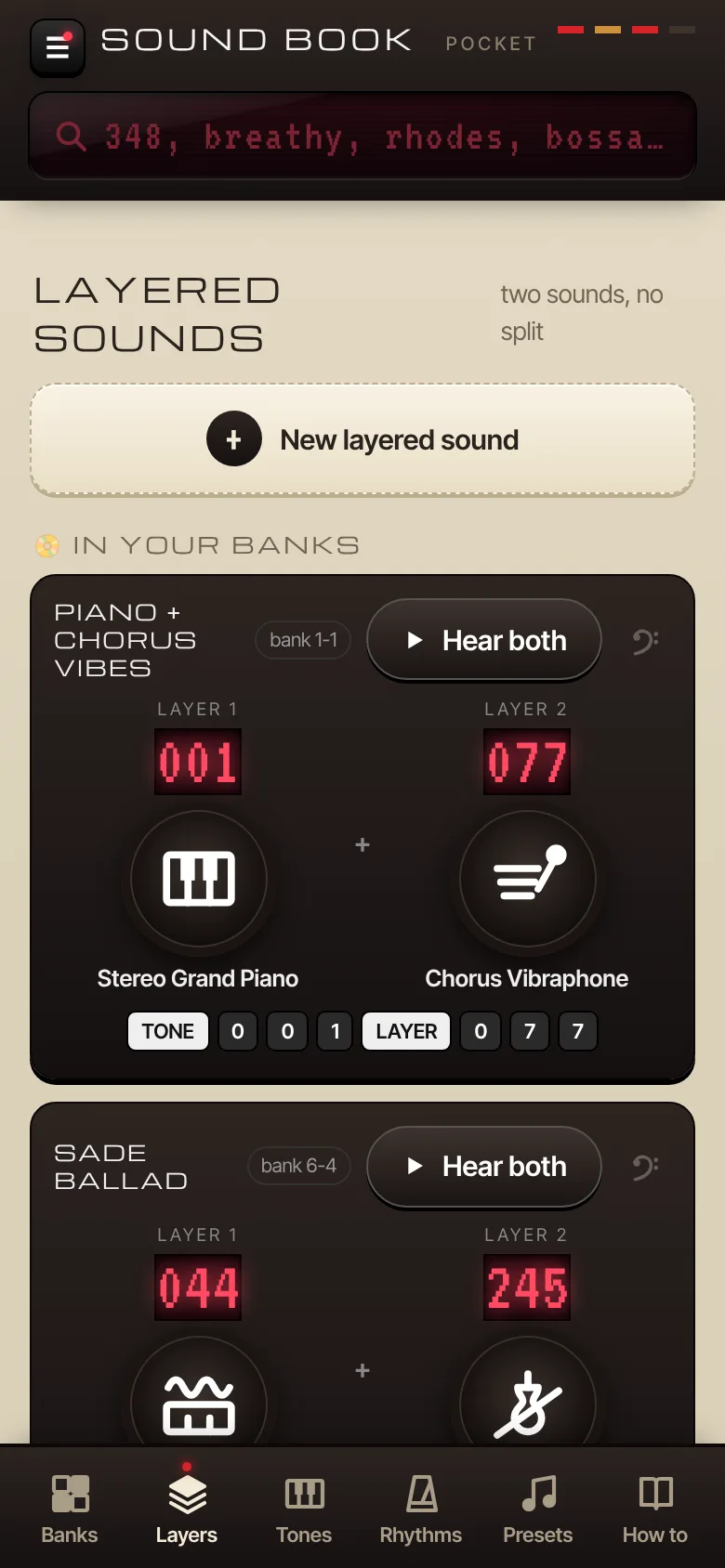
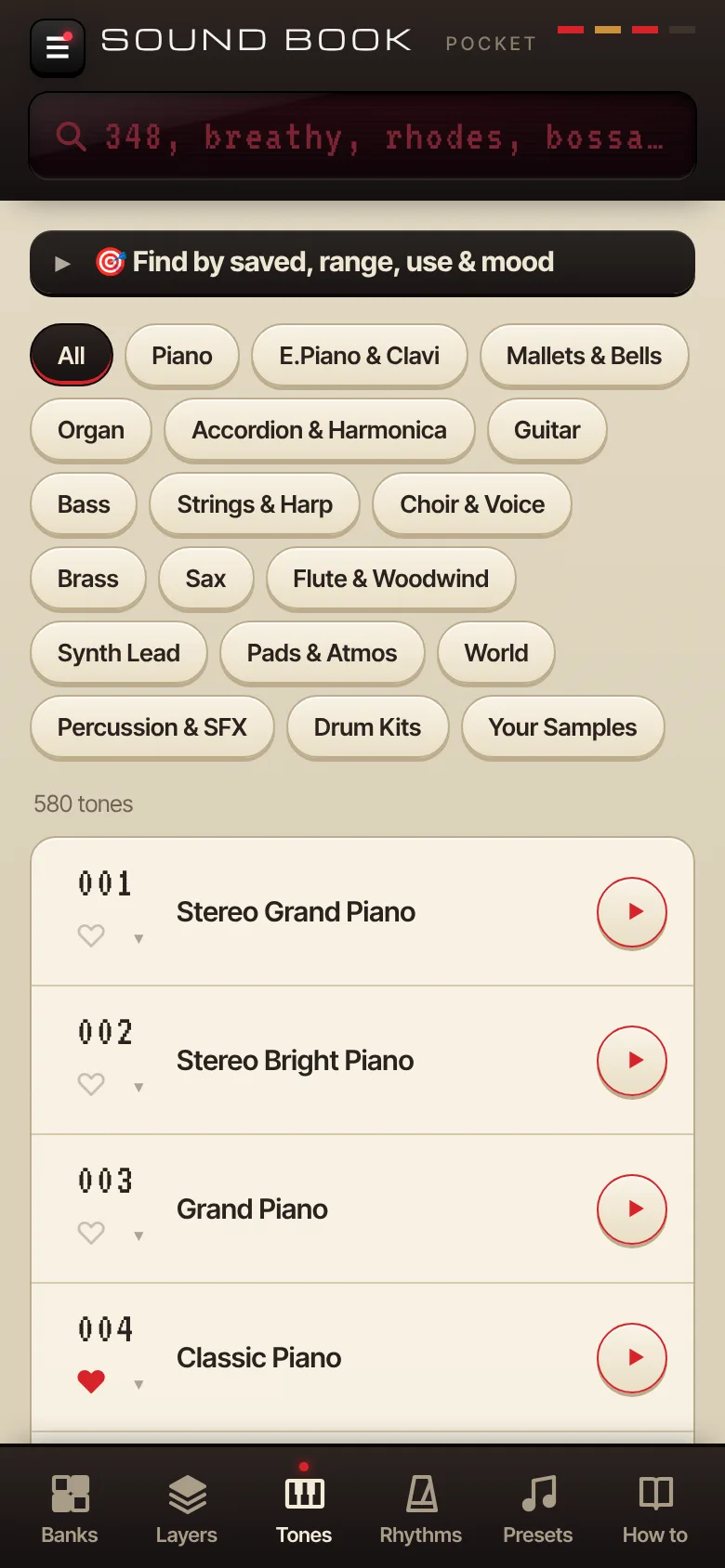
The phone edition keeps it simple: big bank buttons, your layered sounds and the tone list, one thumb away while you play. Same account, same favourites, no app store.

  • Banks 1 to 8 with what's on each area
  • Layered sounds with the button numbers spelled out
  • Tones and rhythms with a play button on every row
Sound Book Pocket: bank 1 with four setups
Sound Book Pocket: layered sounds with tone numbers
Sound Book Pocket: the tone list

From idea to Ableton in four steps

  1. 1FindSearch the sound by feel and hear it.
  2. 2Set upPut it in a bank or layer, save it to the card.
  3. 3RecordPlay into the Studio over a groove.
  4. 4SendStems to Ableton, or a mix to share.

Keyboards

Casio CDP-235R ReadyYamaha ComingRoland ComingKorg ComingYour keyboard? Free for life

More keyboards are on the way, built from their manuals and checked by the players who own them. Bring yours first and you play free for life.

Free to play. Pro when you go further.

FREE

$0

  • Sound Book and Sound Book Pocket
  • Search, button paths, favourites and notes
  • Bank planner and SD card tools
  • The full Studio, unlimited projects on your device
  • Key and scale detection, MP3 export

PRO coming soon

$9/month

  • Cloud sync between PC and phone
  • WAV, stems and Send to Ableton
  • One-click mastering
  • Gig Mode: setlists and bank recall
  • More than one keyboard in your rig

★ LIFETIME keyboard founders

$0forever

  • Everything in Pro, for life
  • Your name on the keyboard you bring
  • The Founder badge
Bring a keyboard →

Help check a new keyboard's sounds and earn free months of Pro. Bring a whole new keyboard and it's free for life.

Sit down and play.